
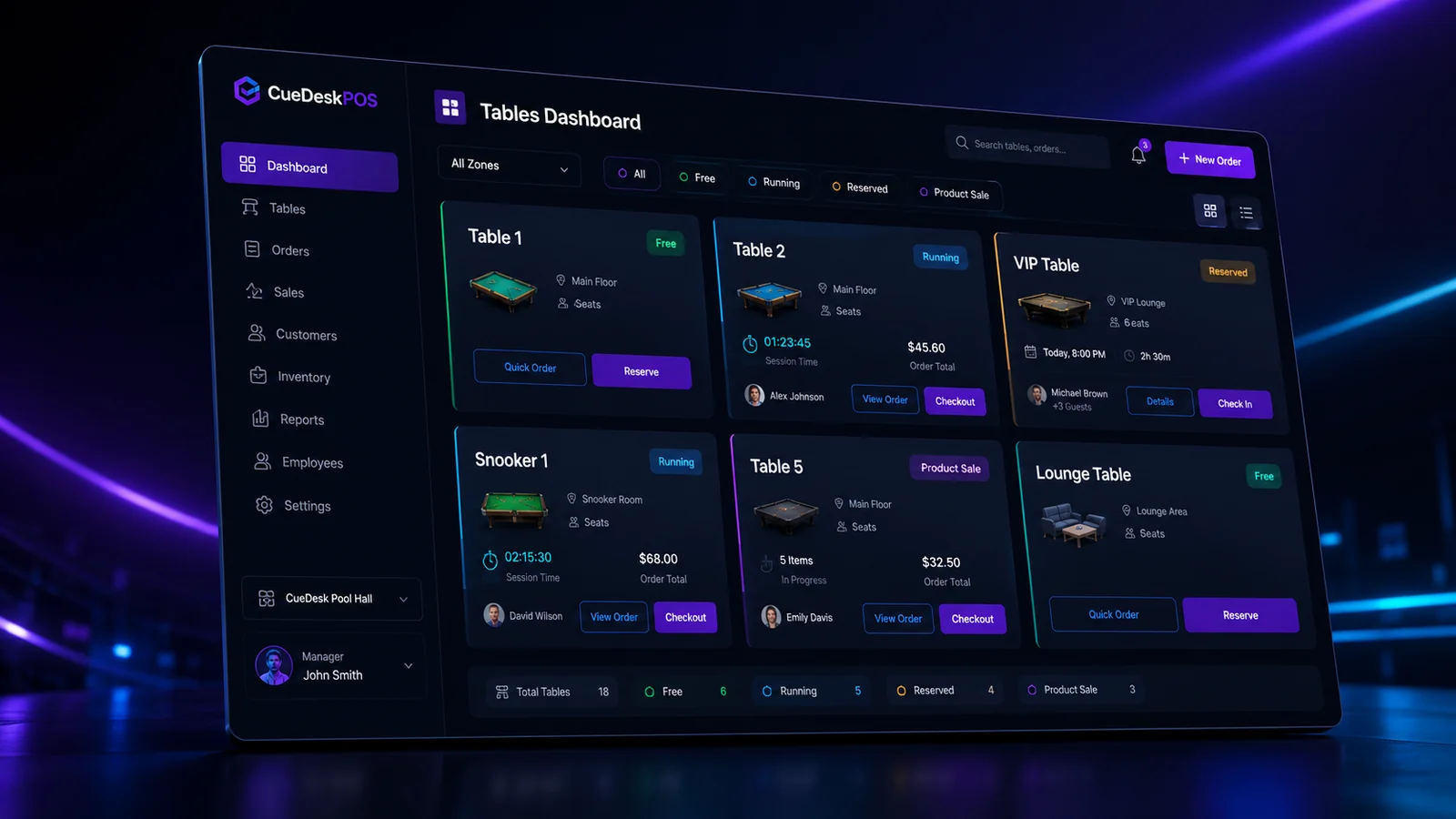
Pool hall POS software should do more than print a receipt. A cue-sports venue has a unique operating model: customers occupy a physical table for a measurable period, add food or drinks during play, move between areas and settle a combined bill at the end. The right system needs to understand that workflow.
Start with table-time accuracy
Timing is the foundation. Look for clear start, pause, resume, move and checkout controls. The system should calculate duration and price consistently, without forcing staff to use a separate stopwatch or calculator.
Check product sales flexibility
A strong pool hall POS should add products to active sessions and also support counter-only sales without starting a game. This matters for walk-in snack sales, accessories and customers who are waiting for a table.
Review rooms, zones and different rates
Pool halls often mix standard tables, snooker tables, VIP rooms and lounge areas. The software should group these logically and allow different rates where needed.
Do not ignore inventory and purchases
Sales reporting is incomplete if purchase quantities and cost prices are not recorded. Inventory, suppliers, stock adjustments and purchase history help owners understand actual margin rather than gross revenue alone.
Demand useful reports
Useful reports answer operational questions: Which tables are busiest? Which products sell most? What were expenses and salaries? How did today compare with another period? Avoid systems that produce numbers without context.
Look at security and recovery
Staff access, password hashing, recovery controls, rate limiting and backup options matter because the POS holds business-sensitive information. An offline-first system should still have a clear method for license verification, updates and recovery.
Compare pricing fairly
Some systems price by package, location or table count. A transparent per-table and per-room model is easier to forecast as the venue grows. CueDeskPOS starts at Rs. 250 per table monthly and Rs. 350 per room monthly.
Test the real workflow
Before committing, simulate a normal shift: start a table, add products, move or pause a session, make a product-only sale, receive stock, close an invoice and review a report. The best software is the one your team can operate correctly during a busy evening.
See CueDeskPOS in action
Download the Windows installer or calculate a plan for your venue.
Download CueDeskPOSView pricing