
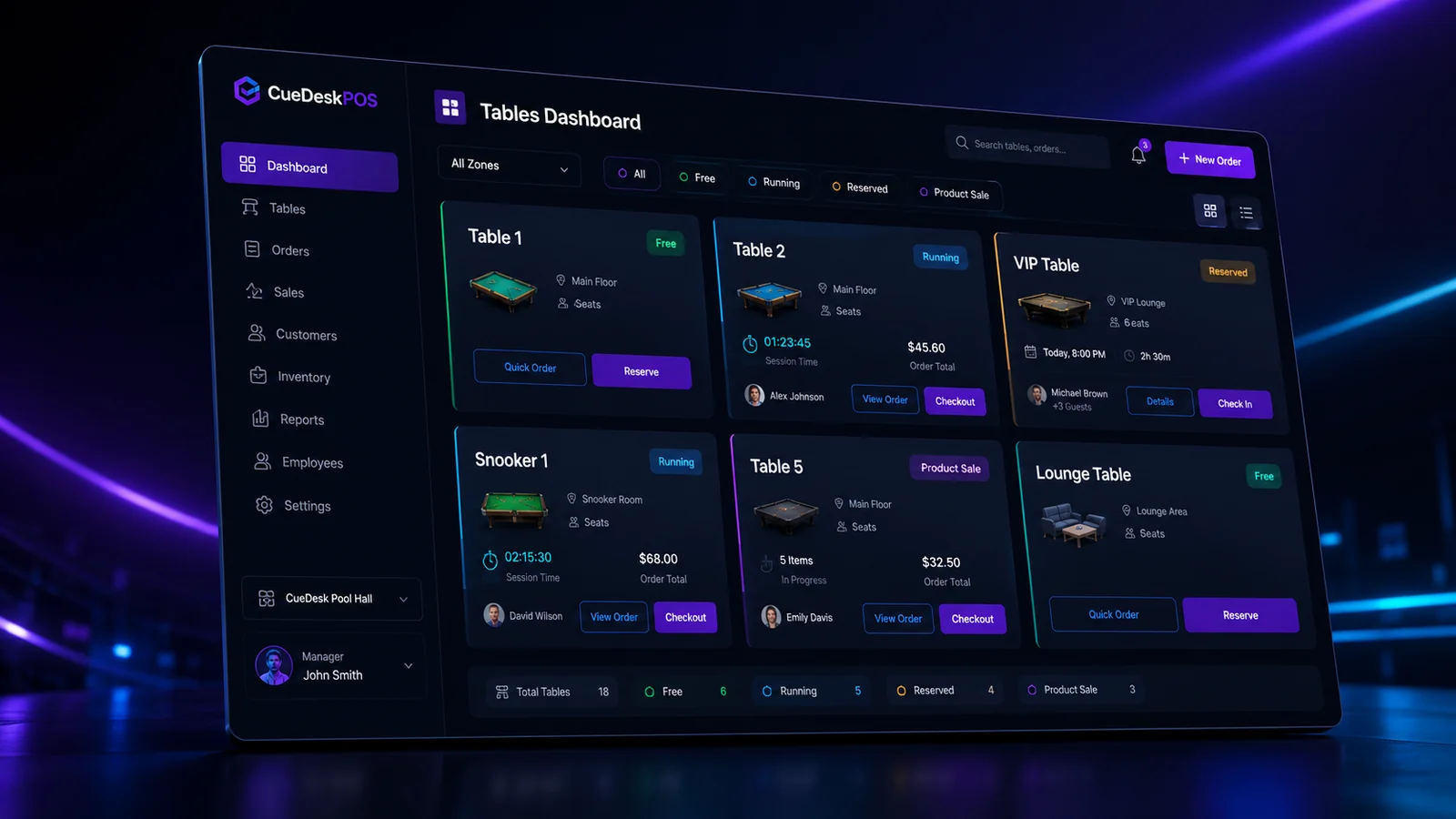
Snooker club software must reflect how the venue actually runs. A generic retail screen may handle products, but it usually misses table time, room status and combined session billing.
Live table dashboard
Staff should see free, running, reserved and product-sale states immediately. Clear status colors reduce mistakes during busy hours.
Flexible session controls
Start, pause, resume, move and checkout are minimum requirements. The running duration and current bill should remain visible.
Products and invoices
The system should support table-linked products, standalone product sales, credits, invoice payments and printable receipts.
Rooms and zones
VIP rooms, lounges and different table types need separate organization and pricing without creating a confusing interface.
Inventory and purchasing
Look for suppliers, quantities, purchase cost, stock adjustment and history. These features connect sales with real product cost.
Expenses and staff costs
Operational software becomes more useful when expenses and salaries are recorded alongside revenue reports.
Role-based security
Admins and staff should not have identical access. Password recovery and sensible rate limiting protect accounts without making daily use difficult.
Backup and updates
Local business data needs a backup plan. Software updates should arrive from an official, verifiable source and should not overwrite the database.
Simple pricing
A clear per-table and per-room model allows small clubs to start affordably and expand without switching systems.
See CueDeskPOS in action
Download the Windows installer or calculate a plan for your venue.
Download CueDeskPOSView pricing